
The Evaluator has an LC-Display with a resolution of 240×128 dots, five control buttons and three LEDs that indicate the current system status.
As soon as the Evaluator is powered up, the initial info screens are shown for several seconds, and then the display switches to default screen (shown in Fig.4.2 User Manual)
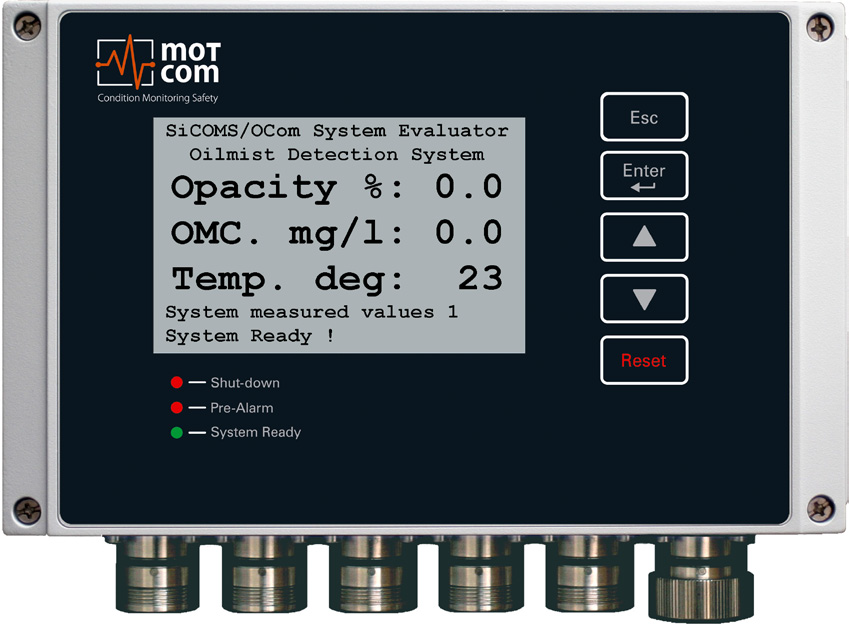
| Evaluator button | Symbol in text | Button function |
 | [Esc] | go to the upper menu level, or cancel the change of system value. If [Esc] is pressed after entering the sublevel of menu items “Setup Parameter” or “Setup CPU”, the Evaluator will restart |
 | [Enter] | enter a sublevel, or confirm a selected system value |
 | [▲] | move one menu item forward or increase value |
 | [▼] | move one menu item backward or decrease value |
 | [Reset] | reset alarm status If Evaluator indicates alarm, press the [Reset] button and hold for 3 sec to reset the alarm status |
The SiCOMS® system information and settings are organised in a tree-like menu. The user can view the menu elements on the LC-display, move between them and change some system settings using Evaluator buttons. Changing of system settings is only possible if the PIN is entered before, otherwise the system settings are read-only.